
EasySignCut Pro
EasySingCut.com
Screenshots

App details
- Updated
- Nov 20, 2017
- Language
- English
- Developer
- EasySingCut.com
- Category
- Mobile
SoftPas in:
This product is also available in the following languages:
About EasySignCut Pro
Download EasySignCut Pro – Custom Vinyl Design, Cutting Machine Compatibility, Vectorization Tool
Overview
EasySignCut Pro is a specialized mobile application designed for individuals and businesses engaged in vinyl crafting, sign-making, and custom decal production. The app serves as a comprehensive digital workspace for creating, editing, and preparing designs for output on vinyl cutting machines. Its primary purpose is to simplify the workflow from concept to physical creation, enabling users to translate creative ideas into precise, high-quality cut files with minimal technical barriers.
Target users include small business owners, crafters, signage professionals, and hobbyists who rely on cutting machines to produce custom stickers, vehicle wraps, signage, and promotional materials. The app addresses common pain points such as inefficient design processes, limited file compatibility, and poor scalability of graphics—issues that can hinder productivity and final output quality.
Although the developer did not provide additional background information, the app’s focus on technical precision and machine integration suggests a targeted approach to serving a niche but growing market of digital fabrication enthusiasts. Real-world use cases include designing storefront signs, personalized gifts, promotional stickers, and event branding materials. In the broader app ecosystem, EasySignCut Pro fills a critical gap by bridging creative design and industrial output, making it a valuable utility for anyone invested in physical customization and digital fabrication.
Key Features & Functionality
- Intuitive Design Tools: The app features a user-friendly interface that supports freehand drawing, shape manipulation, and advanced text editing. Users can customize typography using any font installed on their connected device, allowing for consistent branding and expressive design choices.
- Extensive Image Library: With over 350 preloaded images, the app provides immediate access to a diverse range of graphics. This built-in library reduces the need for external sourcing and accelerates the design process, particularly for users creating repetitive or themed projects.
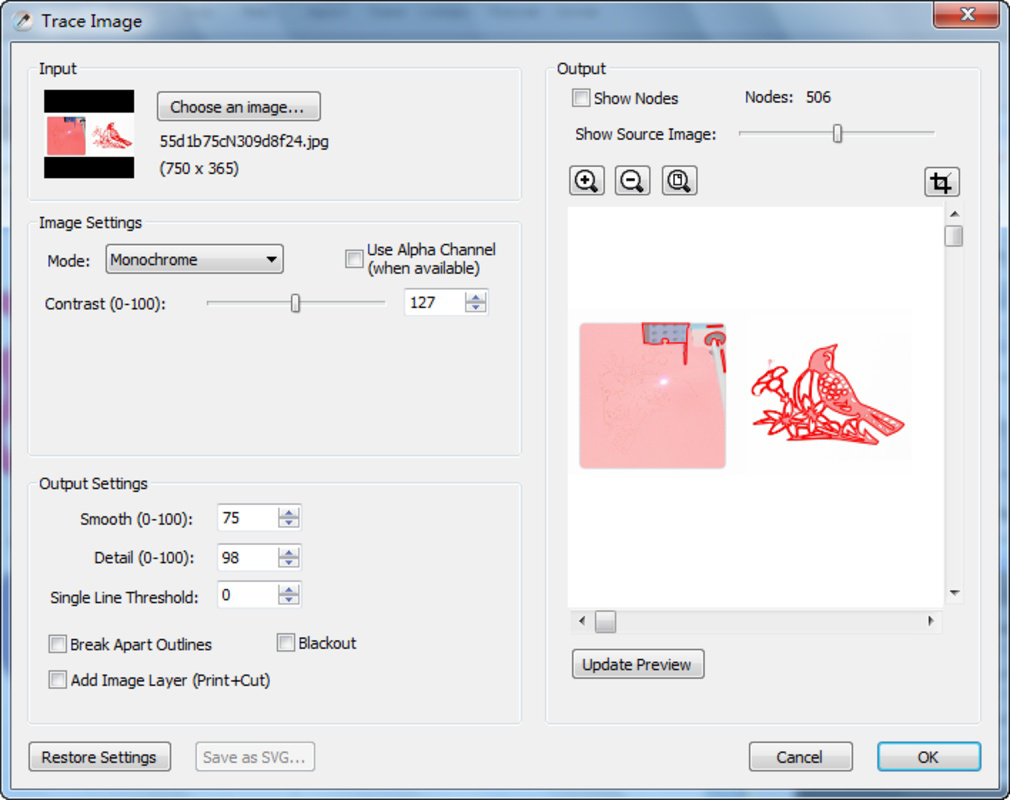
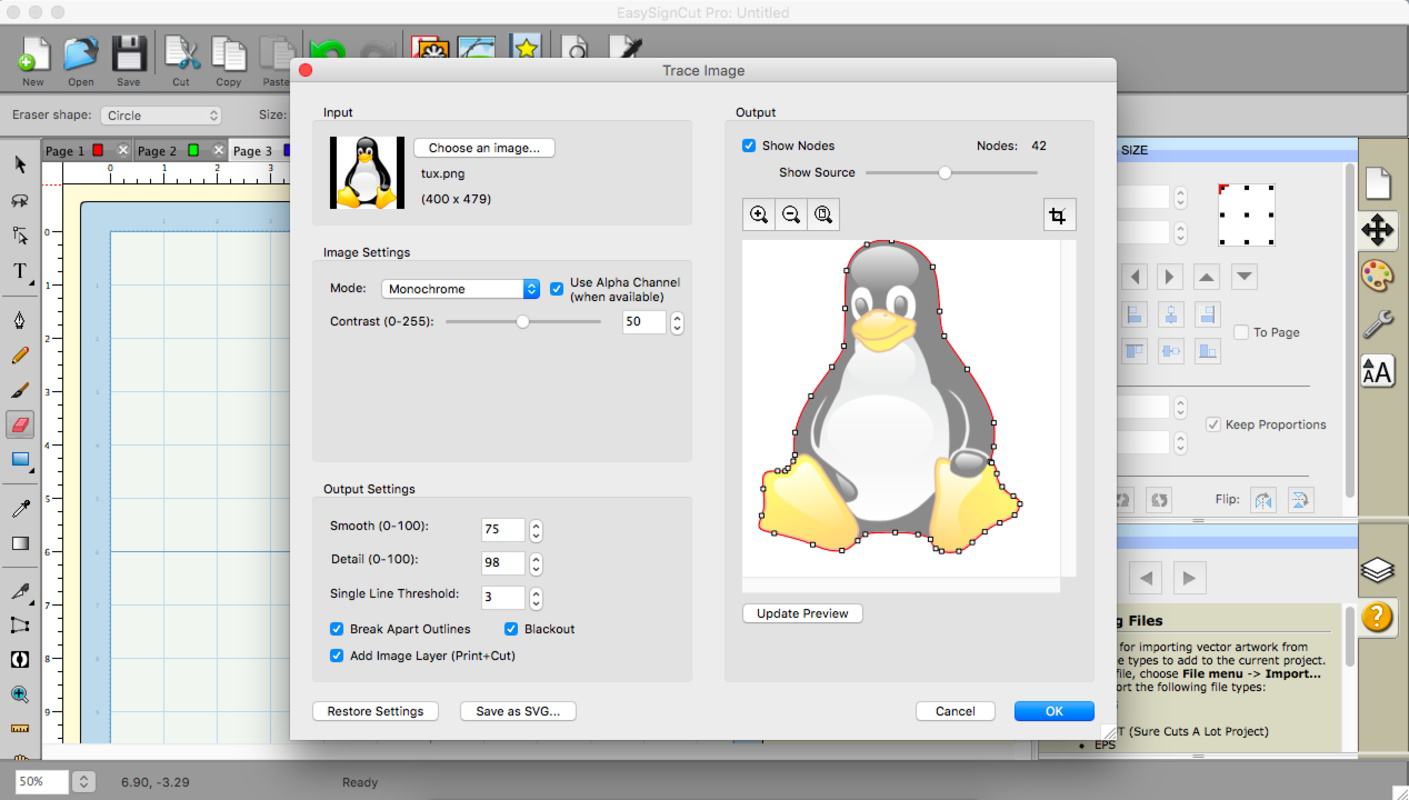
- Vectorization Capabilities: EasySignCut Pro supports vector conversion of raster images in formats such as BMP, JPG, and TIFF. This ensures that designs maintain crisp edges and clarity at any scale, a crucial advantage for large-format signage and detailed decals.
- Comprehensive File Support: The app accepts and exports files in widely used formats including SVG, EPS, and PDF. This compatibility allows seamless integration with other design tools and platforms, supporting a fluid workflow across different software environments.
- Vinyl Cutter Compatibility: The application is designed to work with a broad range of popular cutting machines, including models from Graphtec and Silhouette. This cross-device functionality enhances accessibility and reduces setup friction for users with existing hardware.
For example, a small business owner creating custom stickers for a local event can use the app’s image library to quickly find relevant graphics, vectorize a logo, and export a clean SVG file ready for their Silhouette cutter—all within a single workflow. Similarly, a signage professional can scale a design to billboard size without degradation, thanks to the vectorization engine.
Interface, UX & Performance
EasySignCut Pro presents a clean, organized interface optimized for touch-based interaction on mobile devices. The layout prioritizes accessibility, placing core tools—such as shape drawers, text editors, and file importers—within easy reach. Navigation is linear and intuitive, with a consistent menu structure that minimizes user confusion.
Visual design emphasizes functionality over ornamentation, using clear icons and labeled panels to guide users through each stage of the design process. The app supports responsive layout adjustments, ensuring that elements remain accessible and legible across various screen sizes and orientations.
Although the developer did not list formal performance metrics, the app’s design suggests optimization for stability during complex operations like image vectorization and multi-layer editing. Users can expect smooth transitions between tools and minimal lag during routine tasks. The app maintains consistent performance across different device categories, though specific hardware requirements were not disclosed.
Platform Compatibility & Technical Requirements
EasySignCut Pro is available on Android and iOS platforms. The app supports the latest versions of both operating systems, ensuring compatibility with modern smartphones and tablets. The current software version is 2.1.1, with a file size of 48.3 MB.
Specific requirements were not listed, including minimum OS versions, RAM, or processor specifications. The developer did not specify whether the app supports older devices or whether it requires a high-end smartphone for optimal performance. Compatibility information was not fully disclosed, so users should verify device readiness before installation.
Pros and Cons
Pros
- Intuitive interface suitable for both beginners and experienced users.
- Extensive built-in image library reduces dependency on external sources.
- Advanced vectorization capabilities for high-quality, scalable designs.
- Supports multiple file formats including SVG, EPS, and PDF.
- Compatible with a wide range of vinyl cutting machines and plotters.
Cons
- Specific system requirements were not disclosed.
- Developer background and support details were not provided.
- Performance on older or low-end devices is unverified.
- No information on update frequency or long-term maintenance.
- Limited transparency regarding in-app purchases or subscription models.
FAQ
Is EasySignCut Pro available for both Android and iOS?
Yes, the app is designed for both Android and iOS platforms, allowing users to access its tools on a wide range of smartphones and tablets.
Can I use EasySignCut Pro with my existing vinyl cutter?
Yes, the app is compatible with several popular vinyl cutters and plotters, including models from Graphtec and Silhouette. However, users should verify compatibility with their specific device model.
Does the app support file imports from other design software?
Yes, EasySignCut Pro supports a variety of file formats such as SVG, EPS, and PDF, enabling users to import designs created in other applications.
Is the app free to download and use?
The app’s pricing information was not provided in the available data. Users should check the official app store listing for current pricing and availability.
How often is EasySignCut Pro updated?
Specific update frequency was not disclosed. Users are advised to monitor the app store for new releases and improvements.
Final Thoughts
EasySignCut Pro stands out as a powerful, specialized tool for anyone involved in vinyl design and cutting. Its blend of intuitive design features, robust file support, and machine compatibility makes it a strong contender in the mobile productivity space for crafters and small businesses. The app’s vectorization engine and built-in image library significantly reduce workflow friction, enabling users to focus on creativity rather than technical hurdles.
While some details such as system requirements and developer support remain unclear, the app’s core functionality is well-suited for users seeking precision and efficiency in physical design projects. Whether you're producing custom signage, promotional materials, or personalized gifts, EasySignCut Pro delivers tangible value.
Download EasySignCut Pro now
Guides & Tutorials
How to install EasySignCut Pro
- Click the Download button above.
- Once redirected, accept the terms and click Install.
- Wait for the EasySignCut Pro download to finish on your device.
How to use EasySignCut Pro
This software is primarily used for its core features described above. Open the app after installation to explore its capabilities.
User Reviews
No reviews yet. Be the first to share your experience.
You may also like
more
Que no te pillen¡
About !Que no te pillen¡Reviewed by Jason A. BilbreyShow MoreShow Less

3D Combat Zone
About 3D Combat ZoneOriginally released in 1983, 3D Combat Zone immerses players...

666: El día del portal
About 666: El día del portalOn June 6, 2006, Agent P. Stone uncovers a sinister...

80 in 1 Best Flash games
About 80 in 1 Best Flash games 80 in 1 Best Flash games is a collection of 80 fl...

ABYSS SEEKERーーWhat Do You See Deep in The Abyss
About ABYSS SEEKERーーWhat Do You See Deep in The AbyssIn ABYSS SEEKER, players...

ACA NEOGEO THE KING OF FIGHTERS 2002 for Windows
About ACA NEOGEO THE KING OF FIGHTERS 2002 for WindowsTHE KING OF FIGHTERS 2002,...